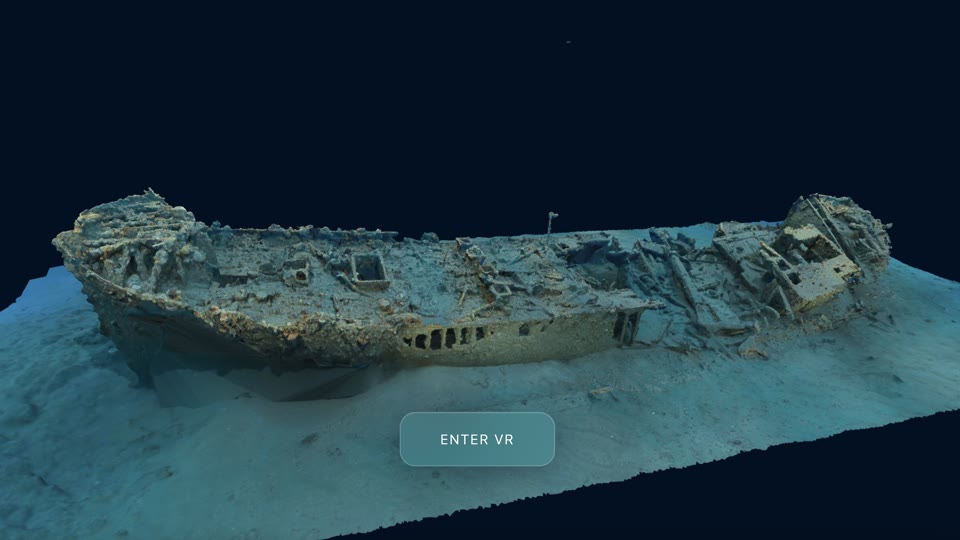
Explore your first wreck
Open a wreck, focus the camera, move around it, take a measurement, and continue in a headset.
Before you start
- A room link or join code. Public and Unlisted rooms open without an account; Private rooms require member sign-in.
- A mouse or trackpad. A VR or AR headset is optional.
Find the controls
The wreck fills the viewer. MEASURE sits in the bottom-right corner. The two round buttons above it take a screenshot and open fullscreen. On a compatible headset, ENTER VR and ENTER AR appear at the bottom centre.
Click to enable
Focus, then orbit
Double-click the part of the wreck you want to inspect. That point becomes the centre of movement. Drag to orbit around it, then scroll or pinch to move closer. Double-click another feature whenever you want a new centre.
Continue when: The feature stays centred while you move around it.
Read the wreck from more than one side
Start with the whole site, then focus on the bow, stern, machinery and surviving structure in turn. Orbit far enough to check whether a shape is real geometry, collapse, or simply the viewing angle.
Measure a known feature
Select MEASURE and click the two ends of the feature. For signed-in participants, the line and distance update for everyone in the room; guests can still measure locally. Only interpret the number when the model has been scaled from survey control or a reliable scale bar.
Continue in VR or AR
Open the room in the headset browser and select ENTER VR for an immersive dive or ENTER AR for passthrough. Public and Unlisted rooms work without an account. Signed-in participants share presence, measurements and annotations with the desktop view. A guest can explore the wreck, but their pose and tools remain local.